How to Make an Online Tools Website Like SmallSEOTools (Free Code + AdSense)
Build an online tools website that earns from AdSense: a one-page site with ten working tools you can upload today, which tools to add, browser versus server tools, the pages that rank, and what AdSense checks.
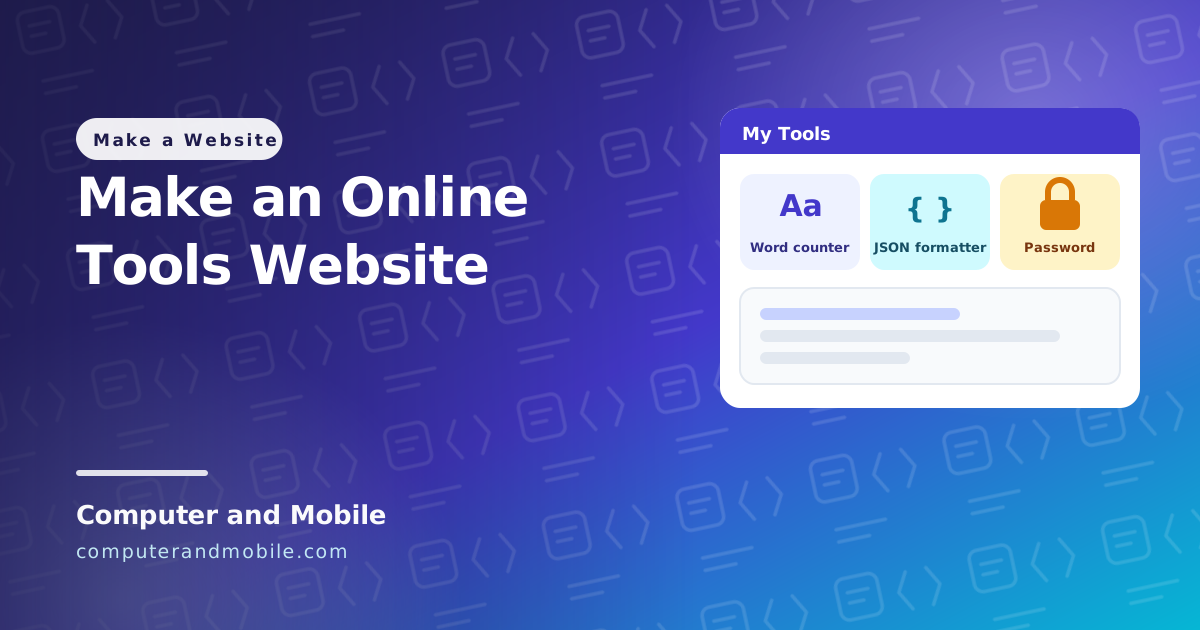
Sites like SmallSEOTools, TinyWow and Code Beautify are collections of small free tools: a word counter, an image compressor, a JSON formatter, a password generator. Each tool gets its own page, each page ranks for its own search (“word counter”, “json formatter online”), and the site earns from the ads around the tools. Visitors come back because the tools are useful every week.
This guide starts with a working one-page tools website you can upload today, then covers which tools to add, which ones need a server, how to make each tool page rank, and what AdSense looks for on a tools site.
Try it: a one-page tools website
Copy this into a file called index.html and open it in your browser. It has ten working tools, all of them running in the browser:
- Word counter, updating as you type
- Case converter: UPPER, lower, Title and Sentence case
- Text cleaner that removes line breaks and extra spaces
- JSON formatter and validator, which shows where an error is
- Base64 encode and decode, correct for Urdu and emoji too
- URL encode and decode
- Password generator
- Age calculator in years, months and days
- Percentage calculator
- Lorem ipsum generator
Upload the file to your hosting and it is a live website. Tools that need a server, such as an SEO analyzer or a DNS lookup, come later in this guide.
<!DOCTYPE html>
<html lang="en">
<head>
<meta charset="UTF-8">
<meta name="viewport" content="width=device-width, initial-scale=1">
<title>Free Online Tools – Word Counter, JSON Formatter, Password Generator and More</title>
<meta name="description" content="10 free online tools that run in your browser: word counter, case converter, JSON formatter, Base64, URL encoder, password generator, age and percentage calculators. Nothing is uploaded.">
<style>
  body { margin: 0; font-family: system-ui, sans-serif; background: #f8fafc; color: #0f172a; }
  header { padding: 16px 20px; background: #4f46e5; color: #fff; font-size: 20px; font-weight: 800; }
  nav { display: flex; gap: 8px; flex-wrap: wrap; padding: 12px 20px; background: #eef2ff; }
  nav a { padding: 7px 13px; border-radius: 999px; background: #fff; color: #3730a3; font-weight: 700;
          font-size: 14px; text-decoration: none; }
  main { max-width: 820px; margin: 0 auto; padding: 20px; }
  section { background: #fff; border: 1px solid #e2e8f0; border-radius: 14px; padding: 18px; margin-bottom: 22px; }
  h2 { margin-top: 0; }
  textarea, input { box-sizing: border-box; font: inherit; padding: 10px; border: 1px solid #cbd5e1; border-radius: 10px; }
  textarea { width: 100%; min-height: 120px; font-family: ui-monospace, Consolas, monospace; }
  input[type=number] { width: 120px; }
  button { font: inherit; font-weight: 700; padding: 9px 16px; border: 0; border-radius: 10px; background: #4f46e5;
           color: #fff; cursor: pointer; margin: 8px 6px 0 0; }
  .result { margin-top: 10px; font-weight: 700; word-break: break-all; }
  .error { color: #b91c1c; }
</style>
</head>
<body>
<header>My Tools</header>
<nav>
  <a href="#words">Word counter</a><a href="#case">Case converter</a><a href="#clean">Text cleaner</a>
  <a href="#json">JSON formatter</a><a href="#base64">Base64</a><a href="#url">URL encoder</a>
  <a href="#password">Password generator</a><a href="#age">Age calculator</a>
  <a href="#percent">Percentage</a><a href="#lorem">Lorem ipsum</a>
</nav>
<main>
  <section id="words">
    <h2>Word counter</h2>
    <textarea id="wordsIn" placeholder="Type or paste text here"></textarea>
    <div class="result" id="wordsOut">0 words · 0 characters · 0 min read</div>
  </section>

  <section id="case">
    <h2>Case converter</h2>
    <textarea id="caseIn" placeholder="Type or paste text here"></textarea>
    <button data-case="upper">UPPER CASE</button><button data-case="lower">lower case</button>
    <button data-case="title">Title Case</button><button data-case="sentence">Sentence case</button>
  </section>

  <section id="clean">
    <h2>Remove line breaks and extra spaces</h2>
    <textarea id="cleanIn" placeholder="Paste text copied from a PDF or an email"></textarea>
    <button id="cleanBtn">Clean text</button>
  </section>

  <section id="json">
    <h2>JSON formatter and validator</h2>
    <textarea id="jsonIn" placeholder='{"name":"Ali","apps":["chat","vpn"]}'></textarea>
    <button id="jsonFormat">Format</button><button id="jsonMinify">Minify</button>
    <div class="result" id="jsonOut"></div>
  </section>

  <section id="base64">
    <h2>Base64 encode and decode</h2>
    <textarea id="b64In" placeholder="Text to encode, or Base64 to decode"></textarea>
    <button id="b64Enc">Encode</button><button id="b64Dec">Decode</button>
    <div class="result" id="b64Out"></div>
  </section>

  <section id="url">
    <h2>URL encode and decode</h2>
    <textarea id="urlIn" placeholder="Text or a link"></textarea>
    <button id="urlEnc">Encode</button><button id="urlDec">Decode</button>
    <div class="result" id="urlOut"></div>
  </section>

  <section id="password">
    <h2>Password generator</h2>
    <label>Length <input id="pwLength" type="number" min="8" max="64" value="16"></label>
    <button id="pwMake">Generate</button>
    <div class="result" id="pwOut"></div>
  </section>

  <section id="age">
    <h2>Age calculator</h2>
    <label>Date of birth <input id="ageIn" type="date"></label>
    <button id="ageBtn">Calculate</button>
    <div class="result" id="ageOut"></div>
  </section>

  <section id="percent">
    <h2>Percentage calculator</h2>
    <input id="pctA" type="number" placeholder="Percent"> % of <input id="pctB" type="number" placeholder="Number">
    <button id="pctBtn">Calculate</button>
    <div class="result" id="pctOut"></div>
  </section>

  <section id="lorem">
    <h2>Lorem ipsum generator</h2>
    <label>Paragraphs <input id="loremN" type="number" min="1" max="20" value="3"></label>
    <button id="loremBtn">Generate</button>
    <div id="loremOut"></div>
  </section>
</main>

<script>
const $ = id => document.getElementById(id);
function show(id, text, isError) { $(id).textContent = text; $(id).className = isError ? 'result error' : 'result'; }

// 1. Word counter: updates while you type
$('wordsIn').addEventListener('input', () => {
  const text = $('wordsIn').value;
  const words = text.trim() ? text.trim().split(/\s+/).length : 0;
  $('wordsOut').textContent = `${words} words · ${text.length} characters · ${Math.ceil(words / 200)} min read`;
});

// 2. Case converter
const cases = {
  upper: t => t.toUpperCase(),
  lower: t => t.toLowerCase(),
  title: t => t.toLowerCase().replace(/(^|\s)\S/g, c => c.toUpperCase()),
  sentence: t => t.toLowerCase().replace(/(^\s*\S|[.!?]\s+\S)/g, c => c.toUpperCase()),
};
document.querySelectorAll('[data-case]').forEach(button => {
  button.onclick = () => { $('caseIn').value = cases[button.dataset.case]($('caseIn').value); };
});

// 3. Text cleaner: every run of spaces and line breaks becomes one space
$('cleanBtn').onclick = () => { $('cleanIn').value = $('cleanIn').value.replace(/\s+/g, ' ').trim(); };

// 4. JSON formatter: JSON.parse finds the error, JSON.stringify makes it pretty or small
function json(spaces) {
  try {
    $('jsonIn').value = JSON.stringify(JSON.parse($('jsonIn').value), null, spaces);
    show('jsonOut', 'Valid JSON');
  } catch (e) {
    show('jsonOut', 'Error: ' + e.message, true);
  }
}
$('jsonFormat').onclick = () => json(2);
$('jsonMinify').onclick = () => json(0);

// 5. Base64: TextEncoder/TextDecoder keep Urdu, emoji and other non-English text correct
$('b64Enc').onclick = () => {
  let binary = '';
  new TextEncoder().encode($('b64In').value).forEach(b => { binary += String.fromCharCode(b); });
  $('b64In').value = btoa(binary);
  show('b64Out', 'Encoded');
};
$('b64Dec').onclick = () => {
  try {
    const binary = atob($('b64In').value.trim());
    $('b64In').value = new TextDecoder().decode(Uint8Array.from(binary, c => c.charCodeAt(0)));
    show('b64Out', 'Decoded');
  } catch (e) {
    show('b64Out', 'This is not valid Base64', true);
  }
};

// 6. URL encode and decode
$('urlEnc').onclick = () => { $('urlIn').value = encodeURIComponent($('urlIn').value); show('urlOut', 'Encoded'); };
$('urlDec').onclick = () => {
  try { $('urlIn').value = decodeURIComponent($('urlIn').value); show('urlOut', 'Decoded'); }
  catch (e) { show('urlOut', 'This text has a broken % code', true); }
};

// 7. Password generator: crypto.getRandomValues is the browser's secure random source
$('pwMake').onclick = () => {
  const chars = 'ABCDEFGHJKLMNPQRSTUVWXYZabcdefghijkmnopqrstuvwxyz23456789!@#$%&*?';
  const length = Math.min(64, Math.max(8, Number($('pwLength').value) || 16));
  const random = new Uint32Array(length);
  crypto.getRandomValues(random);
  let password = '';
  for (const n of random) password += chars[n % chars.length];
  show('pwOut', password);
};

// 8. Age calculator: years, months and days, counted like a calendar
$('ageBtn').onclick = () => {
  const [y0, m0, d0] = $('ageIn').value.split('-').map(Number);
  const born = new Date(y0, m0 - 1, d0), now = new Date();
  if (!y0 || born > now) return show('ageOut', 'Pick a date in the past', true);
  let years = now.getFullYear() - born.getFullYear();
  let months = now.getMonth() - born.getMonth();
  let days = now.getDate() - born.getDate();
  if (days < 0) { months--; days += new Date(now.getFullYear(), now.getMonth(), 0).getDate(); }
  if (months < 0) { years--; months += 12; }
  show('ageOut', `${years} years, ${months} months, ${days} days`);
};

// 9. Percentage calculator
$('pctBtn').onclick = () => {
  const p = Number($('pctA').value), n = Number($('pctB').value);
  if (!$('pctA').value || !$('pctB').value) return show('pctOut', 'Fill in both numbers', true);
  const part = +(p * n / 100).toFixed(4);
  const share = n ? +(p / n * 100).toFixed(2) : 0;
  show('pctOut', `${p}% of ${n} = ${part}   ·   ${p} is ${share}% of ${n}`);
};

// 10. Lorem ipsum: placeholder paragraphs for designs
$('loremBtn').onclick = () => {
  const s = ['Lorem ipsum dolor sit amet, consectetur adipiscing elit.', 'Sed do eiusmod tempor incididunt ut labore et dolore magna aliqua.',
             'Ut enim ad minim veniam, quis nostrud exercitation ullamco laboris.', 'Duis aute irure dolor in reprehenderit in voluptate velit esse.',
             'Excepteur sint occaecat cupidatat non proident, sunt in culpa qui officia.', 'Nulla facilisi morbi tempus iaculis urna id volutpat lacus.'];
  const count = Math.min(20, Math.max(1, Number($('loremN').value) || 3));
  $('loremOut').innerHTML = '';
  for (let i = 0; i < count; i++) {
    const p = document.createElement('p');
    p.textContent = Array.from({ length: 4 }, () => s[Math.floor(Math.random() * s.length)]).join(' ');
    $('loremOut').appendChild(p);
  }
};
</script>
</body>
</html>| Part | What it does |
|---|---|
<title> and description | What Google shows in search results. A real site gives every tool its own page and its own title. |
$ = id => document.getElementById(id) | A short helper so every tool stays a few lines long |
The input event | Recounts the words on every key press, so the result is always current |
Regular expressions (/\s+/g) | Find runs of spaces and line breaks for the word counter and the text cleaner, and the first letters for Title and Sentence case |
JSON.parse / JSON.stringify | The browser checks the JSON and rebuilds it pretty (2 spaces) or minified (no spaces). A parse error tells the user where the mistake is. |
TextEncoder / TextDecoder | Turn text into bytes before Base64, so Urdu, Arabic and emoji come back exactly as they went in |
try / catch | Broken JSON, Base64 or URL codes show a clear message instead of doing nothing |
crypto.getRandomValues | The browser's secure random numbers. Never use Math.random() for passwords. |
| The age calculator | Counts whole years, then months, then days, borrowing days from the previous month like a calendar |
| Everything runs in the browser | Nothing is uploaded, the page is fast, and your hosting does almost no work |
How a tools website makes money
- Search traffic per tool. Every tool is a separate search people make every day. Twenty tools are twenty ways to be found.
- AdSense on the tool pages: one unit above the tool, one below the result, and one in the text further down.
- Returning visitors. Developers, students and writers bookmark the tools they use, which is why tools sites keep their traffic.
Which tools to build
| Category | Examples | Runs in |
|---|---|---|
| Text | Word counter, case converter, remove line breaks, lorem ipsum | Browser |
| Developer | JSON formatter, JSON to Kotlin or Dart classes, Base64, URL encode, minifiers | Browser |
| Images | Compress, resize, crop, convert to WebP | Browser (canvas) |
| Merge, split, images to PDF | Browser (a PDF library) | |
| Calculators and converters | Age, percentage, loan, units | Browser |
| Security | Password generator, hash generator | Browser |
| SEO | Meta tag checker, broken link checker, SEO analyzer | Server (it must fetch other websites) |
| Domain and IP | DNS lookup, SSL checker, what is my IP | Server |
Start with browser tools: they are quick to build, private for the user, and cost nothing to run. Add server tools later, and protect them.
Server tools need protection
A tool that fetches another website on your server can be abused. Before you add one:
- Limit requests per visitor, for example 20 a minute, or one person can keep your server busy.
- Block private addresses (
127.0.0.1,10.x,192.168.xand your own server's IP), or someone can use your tool to look inside your own network. - Set short timeouts and a maximum page size, and only allow
httpandhttps.
Make every tool page rank
The one-page demo is fine for trying the idea, but a site that ranks gives every tool its own address and page:
- Its own URL and title, for example
/word-counter/with the title “Word Counter – Count Words and Characters Online”. - Text around the tool: numbered steps, what the tool is for, and a short FAQ. Google and AdSense both need text, not just a box and a button.
- Related tools from the same category at the bottom, so one visit becomes three.
- A sitemap with every tool page, submitted in Google Search Console.
- Speed: load only the script of the tool on that page.
What AdSense checks on a tools site
- Tool pages with their own text. A page that is only an input box is “low value content”.
- No copied text from other tools sites.
- About, Contact and Privacy Policy pages, and a cookie notice if you have visitors from Europe.
- Ads that are clearly separate from the tool's buttons, so nobody clicks one by accident.
Apply with 20 to 30 tools that each have a proper page, rather than 100 empty ones.
Step by step
- Choose a focus, for example developer tools or tools for students, and a domain.
- Get hosting with PHP (most tools sites need a little server code later) and turn on free SSL.
- Build 20 to 30 browser tools, each on its own page with steps, an explanation and an FAQ.
- Add About, Contact and Privacy Policy pages.
- Submit the sitemap in Google Search Console.
- Apply for AdSense and add
ads.txtwhen it is approved. - Add a few tools every month; look at Search Console to see which tools people search for.
Common problems
| Problem | Cause and fix |
|---|---|
| AdSense refuses the site | Tool pages without text, or too few pages. Add steps, an explanation and an FAQ to every tool. |
| Tool pages do not appear in Google | All tools on one page, or no sitemap. Give each tool its own URL and submit the sitemap. |
| The server slows down | A server tool without limits. Add a per-visitor rate limit and timeouts. |
| Big pages load slowly | Every tool's script loads on every page. Load only the one the page needs. |
What it costs
| Item | Cost |
|---|---|
| Domain | About $10 a year |
| Hosting with PHP | From about $3 a month |
| SSL | Free |
| Your time | A few hours per tool, including its page text |
The full version: a ready tools website
Building and writing 60 tool pages takes months. Our online web tools website PHP script has 61 tools in 10 categories ready: text, developer, 24 JSON tools (including JSON to Kotlin, Java, Dart, Swift, TypeScript, Go, C# and Python models), image, PDF, calculators, unit converters, SEO (website SEO analyzer, AI SEO checker, broken link checker), domain and IP, and YouTube tools.
Every tool page has numbered steps, an explanation, an FAQ and related tools. The admin panel switches tools on or off, marks popular ones, and lets you write your own SEO title and text per tool. It also has AdSense with ads.txt and 6 ad places, a cookie notice, JSON-LD, a sitemap, llms.txt, rate limits on the server tools, safe server requests that block private addresses, and an admin login that locks after 4 wrong passwords.
Where to go next
- What actually matters in cheap web hosting
- Get your pages ranking in Google
- Make a game website, another kind of site that earns from AdSense