How to Self-Host n8n on a Cheap VPS (Docker Compose with HTTPS)
Run n8n on your own server for the price of a small VPS: what it needs, self-hosted vs n8n Cloud, a tested Docker Compose setup with automatic HTTPS, running it free on your laptop or Oracle's free server, the 2026 security lessons, backups and updates.
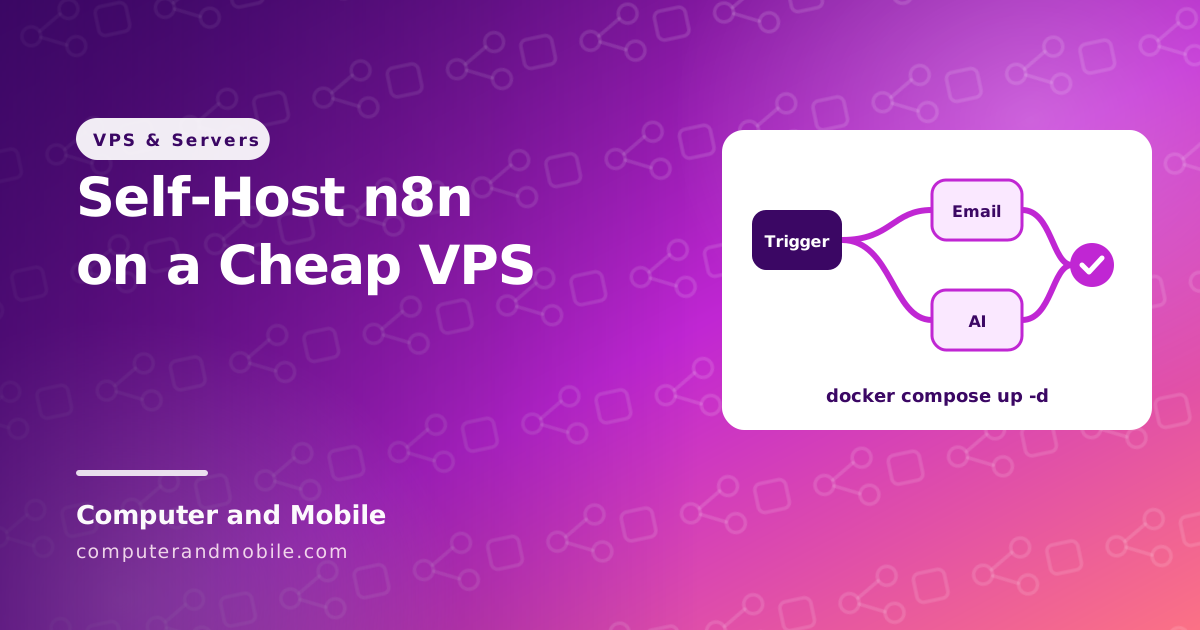
n8n is a workflow automation tool: it connects apps, APIs and AI models with drag-and-drop workflows, like Zapier or Make. Its Community Edition is free to self-host with unlimited executions, so your only cost is the server. A small VPS for a few dollars a month runs it comfortably for one person or a small team.
This guide covers what n8n needs, when self-hosting beats n8n Cloud, a tested Docker Compose setup with automatic HTTPS, how to run it for free on your laptop or on Oracle's free server, the security lessons of 2026, and backups and updates.
Self-hosted n8n vs n8n Cloud
| Self-hosted Community Edition | n8n Cloud | |
|---|---|---|
| Price | Free software; you pay for the server, about $5 to $10 a month | From about €20 a month (Starter) or €50 (Pro) on yearly billing |
| Executions | Unlimited | 2,500 a month on Starter, 10,000 on Pro |
| Updates and security | Your job | Done for you |
| Your data | Stays on your server | On n8n's servers |
| Extra features | Some team and enterprise features need a paid license | Included by plan |
Prices as listed in October 2026. Is self-hosting n8n worth it? If you run many workflows, or need your data on your own server, yes: it is cheaper and has no execution limit. If you never want to think about updates, n8n Cloud is simpler.
Is n8n free to self-host, also for commercial use?
n8n uses the Sustainable Use License, a “fair-code” license: the source is open to read and you may self-host it for free, including for your own business (automating your company's work). What it does not allow without a paid agreement is selling n8n itself as a service, such as hosting n8n for paying customers. So n8n is free and source-available, but not open source in the strict OSI sense.
Can I still self-host n8n, and use it for personal use?
Yes. In 2026 the Community Edition is still free to download and self-host, and personal use is free too, on your own computer or server, with no limit on workflows or executions.
What does self-hosting n8n cost?
| Item | Cost |
|---|---|
| n8n Community Edition | Free |
| Server | $0 on Oracle Cloud's free tier, about $4 to $7 a month for a 1 to 2 GB VPS, $10 to $20 for 4 GB |
| Domain or subdomain | About $10 a year for a domain; a subdomain of one you own is free |
| Your time | About an hour to set up, then a few minutes for each update |
n8n hosting at Bluehost, Namecheap, GoDaddy or Hostinger
n8n cannot run on normal shared hosting: it is a Node.js program that must run all the time, which shared plans do not allow. At Bluehost, Namecheap, GoDaddy or any other host you need their VPS plans, and then the steps in this guide work the same. Some hosts, Hostinger among them, sell VPS plans with n8n already installed, which saves the setup but not the updates. The cheapest n8n hosting is Oracle Cloud's free tier, then any $4 to $7 VPS with 1 to 2 GB of memory. There are no affiliate links on this page.
n8n self-hosting requirements
| Use | Server |
|---|---|
| Trying it, a few light workflows | 1 to 2 vCPU, 2 GB RAM, 20 GB disk |
| Daily use by a person or small team | 2 vCPU, 4 GB RAM |
| Files, AI agents, many runs at once | 4 vCPU, 8 GB RAM or more, with PostgreSQL instead of the built-in SQLite |
You also need a domain or subdomain for HTTPS (webhooks from other services need a public HTTPS address) and Linux with Docker. Our cheap VPS comparison lists providers that fit.
Try it: n8n with Docker Compose and automatic HTTPS
This setup runs two containers: n8n, and Caddy, a small web server that gets a free HTTPS certificate for your domain and renews it by itself. First point a subdomain such as n8n.yourdomain.com to the server's IP with an A record (see how to connect a domain), and open ports 80 and 443 in your provider's firewall. Then on the server:
# Install Docker with Docker's own script (Ubuntu 24.04 VPS), then check it
curl -fsSL https://get.docker.com | sudo sh
sudo docker --version

# A folder for n8n
mkdir -p ~/n8n/local-files && cd ~/n8n
Create three files in ~/n8n. First .env, with your subdomain and time zone:
N8N_DOMAIN=n8n.yourdomain.com
TIMEZONE=America/New_York
Then Caddyfile:
{$N8N_DOMAIN} {
    reverse_proxy n8n:5678 {
        flush_interval -1
    }
}
And compose.yaml:
# compose.yaml: n8n behind Caddy, which gets and renews the HTTPS certificate by itself
services:
  caddy:
    image: caddy:2
    restart: unless-stopped
    ports:
      - "80:80"
      - "443:443"
    environment:
      - N8N_DOMAIN=${N8N_DOMAIN}
    volumes:
      - ./Caddyfile:/etc/caddy/Caddyfile:ro
      - caddy_data:/data
      - caddy_config:/config

  n8n:
    image: docker.n8n.io/n8nio/n8n
    restart: unless-stopped
    environment:
      - N8N_HOST=${N8N_DOMAIN}
      - N8N_PORT=5678
      - N8N_PROTOCOL=https
      - N8N_WEBHOOK_URL=https://${N8N_DOMAIN}/   # n8n 2.30 and newer
      - WEBHOOK_URL=https://${N8N_DOMAIN}/       # older versions
      - GENERIC_TIMEZONE=${TIMEZONE}
      - TZ=${TIMEZONE}
      - NODE_ENV=production
      - N8N_ENFORCE_SETTINGS_FILE_PERMISSIONS=true
    volumes:
      - n8n_data:/home/node/.n8n
      - ./local-files:/files

volumes:
  caddy_data:
  caddy_config:
  n8n_data:
Start it:
# Start n8n and Caddy in the background, then follow the log
sudo docker compose up -d
sudo docker compose logs -f
When the log shows that n8n is ready, open https://n8n.yourdomain.com and create the owner account straight away: the first person to open the page sets it up.
| Part | What it does |
|---|---|
| Caddy on ports 80 and 443 | The only part open to the internet. It gets the certificate, renews it, and sends visitors to n8n. |
No ports on n8n | n8n's own port 5678 is never exposed; only Caddy can reach it inside Docker's network |
flush_interval -1 | Sends n8n's live editor updates to the browser at once instead of buffering them |
N8N_WEBHOOK_URL / WEBHOOK_URL | The public address n8n puts into webhook links. Without it, webhooks point to an internal address no service can reach. Newer n8n versions read the first name, older ones the second. |
GENERIC_TIMEZONE | The time zone schedules run in |
n8n_data volume | Keeps the database, settings and the encryption key of your credentials when containers are replaced |
./local-files | A folder shared with n8n at /files, for files your workflows read or write |
How to self-host n8n for free
- On your laptop: with Docker Desktop installed, one command starts n8n at
http://localhost:5678. It runs only while your computer is on, and webhooks from the internet cannot reach it, but it is perfect for learning and building workflows.
# On your own computer with Docker Desktop: n8n at http://localhost:5678
docker run -it --rm --name n8n -p 5678:5678 -v n8n_data:/home/node/.n8n docker.n8n.io/n8nio/n8n- Install n8n locally on Windows: install Docker Desktop (it uses WSL 2) and run the same command in PowerShell. Or install Node.js LTS from nodejs.org and run
npx n8n, which opens n8n athttp://localhost:5678. - On a free server: Oracle Cloud's free tier gives you an Arm server with up to 2 cores and 12 GB of memory, and n8n's Docker image runs on Arm. Follow our Oracle Cloud free tier guide for the server and its firewall, then the steps above.
- Without Docker:
npx n8nruns it with Node.js 20.19 to 24, which is handy for a quick test.
Is self-hosted n8n safe?
It is as safe as you keep it. 2026 showed why updates matter: in January, a flaw called Ni8mare (CVE-2026-21858, rated 10 out of 10) let attackers who were not logged in take over self-hosted n8n servers, and researchers counted nearly 60,000 vulnerable servers on the internet. Six critical n8n flaws were disclosed between January and March 2026. All were fixed in updates, so the servers that got hurt were the ones nobody updated.
- Update every week or two (commands below), and read n8n's release notes
- Create the owner account right after the first start, with a long password and two-factor login
- Keep n8n's port closed, as in this setup, so only HTTPS through Caddy reaches it
- Secure the server itself: SSH keys, a firewall and automatic system updates, as in how to secure an Ubuntu server
Backups and updates
cd ~/n8n
# Back up: workflows and credentials to ./local-files (credentials stay encrypted)
sudo docker compose exec n8n n8n export:workflow --all --output=/files/workflows.json
sudo docker compose exec n8n n8n export:credentials --all --output=/files/credentials.json

# Update to the newest version
sudo docker compose pull
sudo docker compose up -d
Also keep a copy of the n8n_data volume or at least its encryption key: without the key, exported credentials cannot be decrypted on a new server.
What people on Reddit usually advise
- Start with Docker Compose on a small VPS, as above; it is the easiest to update and move
- Always use HTTPS and a domain, or webhooks and OAuth logins to Google and other services will fail
- Move to PostgreSQL before the instance gets busy, and back up before every big update
- Do not expose n8n without updates and a login; automated scanners find new servers within hours
Running n8n for a business
The setup above is right for one person or a small team. A business that depends on its workflows adds more, and it is worth planning before you need it:
- PostgreSQL instead of SQLite, with daily backups stored off the server
- Queue mode with Redis and separate worker containers, so many workflows run at the same time
- Monitoring of failed executions, disk space and certificate renewal
- Access control: single sign-on or an extra login layer in front of the editor
Sell your n8n workflows
Many n8n builders sell their workflow templates and automations as downloads. Our digital products shop script is made for exactly that: sell ZIP files and templates with PayPal checkout and other payment methods, Regular and Extended licenses, and every download stamped with the buyer's license ID, on your own domain with no marketplace fees.