Free cPanel Alternatives: CyberPanel vs CloudPanel vs aaPanel vs HestiaCP
The four free control panels people put on a VPS instead of cPanel, compared: web server, email, ports, requirements and security history. Then install one, add your first site, lock the panel down, and the OpenLiteSpeed .htaccess lesson we learned on our own server.
cPanel is the panel most shared hosts use, but on your own VPS it costs a monthly licence that grows with every account. Free control panels give you most of the same things on a $5 server: websites, databases, free SSL, file manager, and in some cases email and DNS.
This guide compares the four free panels people use most, shows how to install one and add your first website, how to keep the panel itself from becoming the way attackers get in, and one lesson about OpenLiteSpeed that cost us an afternoon on our own server.
The four free panels at a glance
| CyberPanel | CloudPanel | aaPanel | HestiaCP | |
|---|---|---|---|---|
| Web server | OpenLiteSpeed | Nginx | Nginx, Apache or OpenLiteSpeed (you choose) | Nginx in front of Apache |
| Reads .htaccess | Rewrite rules only | No | With Apache; rewrite rules only with OpenLiteSpeed | Yes |
| Email hosting | Yes, basic | No | Through its mail plugin | Yes, complete |
| DNS server | Yes | No | Through a plugin | Yes |
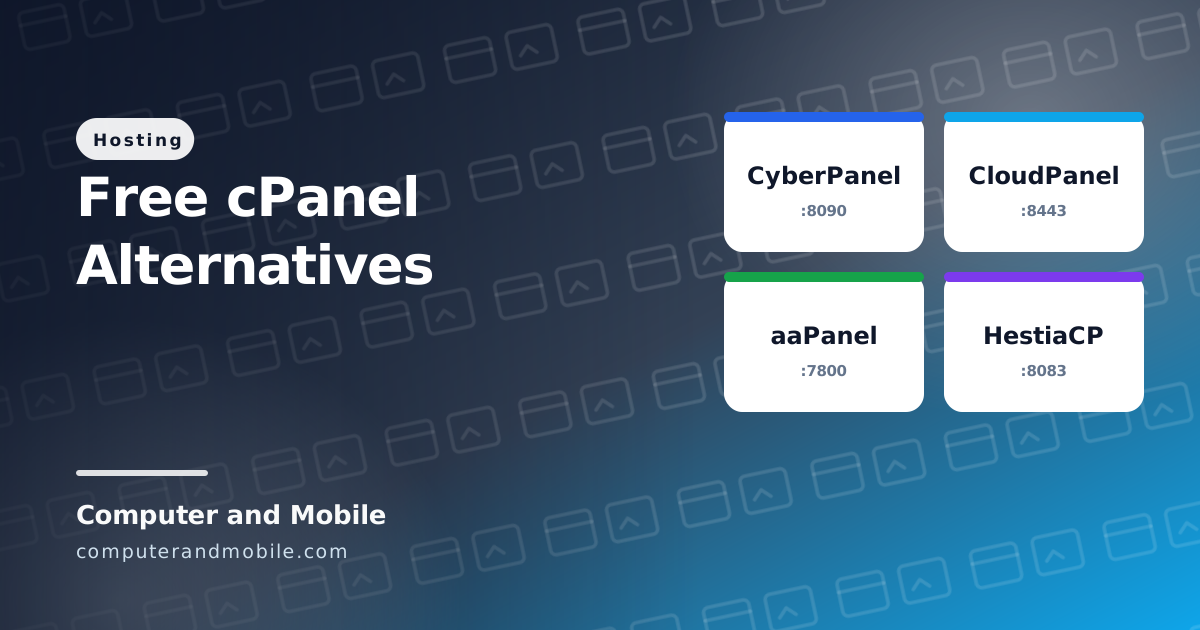
| Panel address | Port 8090 | Port 8443 | Port 7800 plus a secret path | Port 8083 |
| Minimum memory | 1 GB | 2 GB | About 512 MB | 1 GB (without spam and virus filters) |
| Systems listed in its docs | Ubuntu 22.04, AlmaLinux 8 and 9 | Ubuntu 24.04 and 22.04, Debian 12 and 11 | Ubuntu and Debian | Ubuntu 22.04 and 24.04, Debian 12 and 13, also on Arm |
| Best for | Fast WordPress with LiteSpeed Cache | Clean, fast PHP and Node.js sites without email | Many one-click apps | An all-in-one server with websites and email |
Details as listed in each panel's documentation in October 2026. They change with new versions, so check the install page before you start.
Which one should you pick?
- PHP scripts and WordPress that rely on
.htaccess: HestiaCP, because Apache reads.htaccessfully. CyberPanel works too, with the limits explained further down. - Speed first, no email: CloudPanel. It is clean and fast, but Nginx ignores
.htaccess, so clean addresses and protected folders need Nginx rules instead. - Email at your domain on the same server: HestiaCP has the most complete mail setup. Even then, many people send mail through an outside service, because a fresh VPS IP often lands in spam.
- A free Oracle Arm server: HestiaCP lists Arm support in its docs.
Try it: install HestiaCP and add a website
Start from a fresh server: panels take over the web server, database and firewall, and installing one on a server already in use breaks things. First point a subdomain such as panel.yourdomain.com to the server's IP with an A record at your domain's DNS. Then, as root:
# On a fresh Ubuntu 24.04 or Debian 12 server, as root
apt update && apt -y upgrade
wget https://raw.githubusercontent.com/hestiacp/hestiacp/release/install/hst-install.sh
bash hst-install.sh --hostname panel.yourdomain.com --email you@yourdomain.com --clamav no --spamassassin no| Option | What it does |
|---|---|
--hostname | The server's name; the panel gets an SSL certificate for it once the A record points here |
--email | Where the panel sends notices about updates and problems |
--clamav no --spamassassin no | Leaves out the virus and spam filters for mail, which are what need more than 1 GB of memory. Leave them on if you host busy mailboxes on a big server. |
The install takes about 15 minutes and ends by showing the panel address and the admin password: save both. Then:
- Open
https://panel.yourdomain.com:8083and log in asadmin. - Create a normal user for your websites (do not run sites as admin).
- Log in as that user and add a web domain. Tick Enable SSL and Use Let's Encrypt, once the domain points to the server.
- Add a database on the DB page and upload your files with the File Manager into the domain's
public_html.
From there, putting a PHP site online is the same as on shared hosting; our guide to uploading a website to cPanel covers the files, the database import and the usual errors.
The other three install with one command each, from their own documentation:
# CloudPanel (Ubuntu 24.04 / 22.04, Debian 12 / 11). The docs give the current checksum line:
curl -sS https://installer.cloudpanel.io/ce/v2/install.sh -o install.sh
# ...then the sha256sum check and:  sudo DB_ENGINE=MYSQL_8.4 bash install.sh

# CyberPanel
sh <(curl https://cyberpanel.net/install.sh || wget -O - https://cyberpanel.net/install.sh)

# aaPanel
URL=https://www.aapanel.com/script/install_7.0_en.sh && if [ -f /usr/bin/curl ];then curl -ksSO "$URL" ;else wget --no-check-certificate -O install_7.0_en.sh "$URL";fi;bash install_7.0_en.sh aapanel
Lock the panel down
A control panel runs as root and faces the internet, so a hole in the panel is a hole in the whole server. This is not theory:
- In October 2024, three critical flaws in CyberPanel 2.3.6 and 2.3.7 (CVE-2024-51378 among them) let attackers run commands without logging in. Around 22,000 panels were reachable from the internet, and attackers used the flaws to put ransomware on thousands of servers.
- aaPanel has a long list of published vulnerabilities over the years, including command injection and file access flaws in older versions.
Every panel can have a bad day. What protects you is the setup around it:
- Allow the panel port only from your own IP. Your VPS provider's firewall (Hetzner, DigitalOcean, Vultr and Oracle all have one) or the panel's own firewall page can do this. If attackers cannot reach the login page, most panel bugs cannot touch you.
- Turn on automatic updates for the panel and the system, and read the panel's security announcements.
- Log in to SSH with a key, not a password.
- Keep backups somewhere else, not only on the same server, so ransomware cannot take them too.
OpenLiteSpeed and .htaccess: what we learned
Our own blog and shop run on OpenLiteSpeed, the web server inside CyberPanel. It is fast, but it reads only the rewrite rules from .htaccess. Header, FilesMatch, Expires and Deny lines are silently ignored, so a file you thought was protected can still be downloaded. And after you change .htaccess, the server may need a restart before it notices.
The fix has two parts. Protect private files with rewrite rules, which OpenLiteSpeed does read:
# .htaccess on OpenLiteSpeed: only rewrite rules are read, so protect files with them
RewriteEngine On
RewriteRule (^|/)config\.php$ - [F,L]
RewriteRule \.(sql|log|bak|ini|env)$ - [F,NC,L]
And send the security headers from PHP, which works on every web server. Save this as security-headers.php and require it at the top of your pages:
<?php
// security-headers.php: put require __DIR__ . '/security-headers.php'; at the top of your PHP pages.
// OpenLiteSpeed ignores Header lines in .htaccess, so PHP sends the headers instead.
if (!headers_sent()) {
    header('X-Content-Type-Options: nosniff');
    header('X-Frame-Options: SAMEORIGIN');
    header('Referrer-Policy: strict-origin-when-cross-origin');
    header('Permissions-Policy: camera=(), microphone=(), geolocation=()');
    if (!empty($_SERVER['HTTPS']) && $_SERVER['HTTPS'] !== 'off') {
        header('Strict-Transport-Security: max-age=31536000');
    }
    header_remove('X-Powered-By');
}| Header | What it stops |
|---|---|
X-Content-Type-Options: nosniff | Browsers guessing that an uploaded file is a script |
X-Frame-Options: SAMEORIGIN | Other sites showing your pages inside a frame to trick visitors |
Referrer-Policy | Your full page addresses leaking to other websites |
Permissions-Policy | Pages using the camera, microphone or location without a reason |
Strict-Transport-Security | Visitors being sent back to plain http; it is only sent over HTTPS |
header_remove('X-Powered-By') | Telling everyone your exact PHP version |
Check the result with your browser's developer tools (Network tab, click the page, Response Headers), or with curl -I https://yourdomain.com.
What a panel does not do for you
A free panel makes the daily work easy, but a server with paying customers on it also needs things no panel does on its own:
- Off-server backups that you have restored at least once
- Monitoring that tells you when a site is down or the disk is full
- Mail that arrives: SPF, DKIM and DMARC records, and an IP that is not on spam lists
- Someone responsible for updates, every week, for every site on the server
If that is more than you want to handle, good shared hosting with cPanel is often cheaper than your time. Our guide on cheap web hosting shows what to compare.
PHP scripts that run on any of them
Our PHP scripts need PHP 8.1 or newer and MySQL or MariaDB, and protect their private folders with rewrite rules, the kind OpenLiteSpeed also reads. They run on HestiaCP, CyberPanel and aaPanel (with Apache or OpenLiteSpeed) as they are; on an Nginx-only panel such as CloudPanel, the clean addresses need Nginx rules instead.
- Online web tools website: 61 tools for developers and webmasters (JSON converters and formatters, DNS lookup, HTTP header and redirect checkers, image and PDF tools), with an admin panel and ad places
- PHP blog script with admin panel: articles with FAQs, categories, search, SEO and AdSense places
- Digital products shop script: sell downloads with PayPal checkout and licenses stamped into every download
Where to go next
- Oracle Cloud free tier VPS: a free server to install a panel on
- Cheap VPS providers compared
- How to upload a website to cPanel
- Install Apache, MySQL and PHP on Ubuntu without a panel