How to Sell Digital Products Online in Pakistan (JazzCash, Easypaisa, No Merchant Account)
Sell source code, templates, ebooks or courses from your own website in Pakistan: take JazzCash, Easypaisa, NayaPay and bank payments without a merchant account, check payments safely, deliver files securely and win buyers' trust.
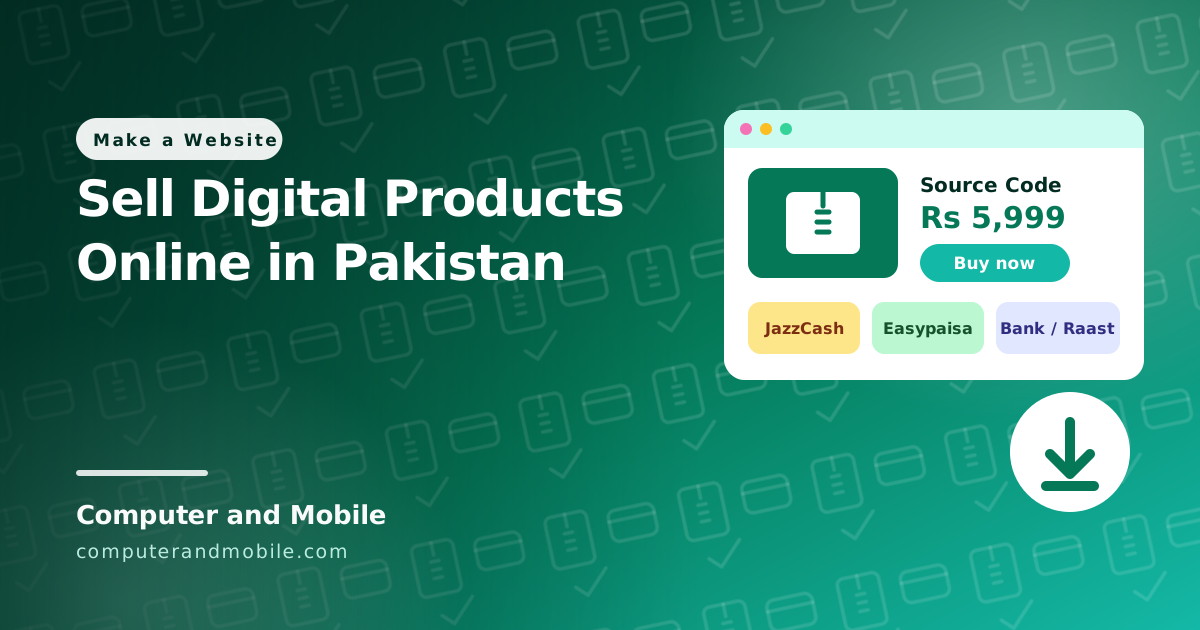
Selling digital products from Pakistan is easier than it looks. You do not need a merchant account, a payment gateway or a company to start: most buyers here already pay with JazzCash, Easypaisa, NayaPay or a bank app, and you can take those payments into a personal account. What you do need is a clear order flow, a safe way to check payments, downloads that cannot be shared freely, and pages that make a stranger trust you with their money.
This guide covers each of those, based on how we run our own source code shop.
What sells well as a digital product
- Source code: Android apps, websites, PHP scripts, templates
- Design files: logos, social media templates, UI kits, fonts you made
- Ebooks and guides, in English or Urdu
- Courses, as video downloads or access to a private page
- Presets and plugins: photo presets, WordPress plugins and themes
The best products solve one clear problem for a buyer who already searches for it. That matters more than the price.
Three ways to sell, compared
| WhatsApp or Instagram | A marketplace | Your own website | |
|---|---|---|---|
| Start-up cost | Nothing | Nothing | Domain and hosting |
| Who keeps the fee | You keep everything | The marketplace takes a share | You keep everything |
| Local payments | Yes, by hand | Usually not; check how they pay out to Pakistan | Yes |
| Delivery | You send each file by hand | Automatic | Automatic after you verify |
| Found on Google | No | Inside the marketplace only | Yes, your own pages rank |
| Grows with you | No: every sale takes your time | Yes | Yes |
Many sellers do all three: a marketplace for buyers abroad, WhatsApp for questions, and their own website as the place every link points to.
Taking payments without a merchant account
A merchant account (an online payment gateway) charges cards automatically, but it needs business documents and an approval. Until you have one, take payments into the accounts you already have:
| Method | What the buyer needs | Notes |
|---|---|---|
| JazzCash, Easypaisa, NayaPay | The same wallet, or any bank app | Show the account number and the name it is registered in |
| Bank transfer (IBAN) | Any bank app | Use your IBAN, not only the account number |
| Raast | Any bank or wallet app | Pakistan's instant payment system: free, and the money arrives within seconds |
| QR code | A phone camera | Use the payment QR that your wallet or bank app gives you, not a QR you make from the number |
Because wallets and banks can all send money to each other, one account is enough to accept all of these. For buyers abroad, show the price in US dollars too and offer an international method you can actually receive, for example PayPal if your account can accept payments. Some sellers also take USDT through Binance Pay; check the rules that apply to you before you do.
The order flow that works
1. Buyer picks a product and sees the price in rupees (and in dollars)
2. Checkout shows your account: JazzCash, Easypaisa, NayaPay or IBAN, with a QR code
3. Buyer sends the money in their own app
4. Buyer enters the transaction ID (TID) and their email, and ticks the no-refund box
5. You check the payment in YOUR app or bank statement
6. You press Verify: the buyer gets a download link by email and on the screen
7. The link works for a few days and a few downloads, then expires
Asking for the transaction ID is the key step. It lets you match the order to a payment in seconds, and it stops two buyers from claiming the same payment.
Never trust a screenshot
The most common fraud on manual payments is a fake “payment sent” screenshot. Editing one takes a minute. So:
- Check every payment in your own app or bank statement, never on the buyer's screenshot.
- Match three things: the transaction ID, the amount and the sender's name.
- Release the file only after that. A real buyer waits a few minutes; a fraudster leaves.
- Mark each transaction ID as used, so the same payment cannot buy twice.
If you sell a lot, automate the check: a script can read the payment emails your bank or wallet sends and verify an order when the ID, name and amount match, leaving everything else for you to check by hand.
Deliver files so they are hard to share
A digital file can always be copied, but you can make sharing pointless and traceable:
- Download links that expire, for example after 7 days or 5 downloads. A link posted in a group stops working.
- Never link to the file itself. Keep files in a folder the web cannot open, and send them through a script that checks the order first.
- Stamp each copy with the buyer's order or license ID, inside the ZIP. If a copy turns up online, you know whose order it came from.
- Log every download with the time and IP address.
Refunds and the no-refund box
A downloaded file cannot be returned, so most digital shops do not refund after delivery. Make that fair and visible:
- Show a demo, screenshots or a preview before purchase, so buyers know exactly what they get.
- Add a tick box at checkout (“I understand this is a digital product and cannot be refunded after download”) and save the time and the text the buyer agreed to with the order.
- Publish the policy on a Terms or How it works page, and link it from checkout.
Pages that make strangers trust you
- How it works: pay, enter the transaction ID, get the download link. Buyers who understand the steps finish the order.
- Track order: buyers can check their order with the order number and email, without messaging you.
- A real contact: WhatsApp and an email address on every page.
- Product pages with detail: what is inside, requirements, screenshots, a demo, and what support you give.
- Prices in rupees and dollars, with no hidden fees at checkout.
Get found on Google
Your own website can rank, which WhatsApp and Instagram never will. Give every product its own page with a clear title (“Android Chat App Source Code”, not “Product 7”), add product structured data so Google can show the price, and write blog posts that answer the questions your buyers search for, each linking to the product that finishes the job. That is how this blog and our shop work together.
How to build the shop
| Option | Good | Watch out for |
|---|---|---|
| WordPress with WooCommerce | Free, many plugins | Manual-payment, download-protection and license plugins add up; more to update and secure |
| A hosted shop builder | Quick to start | A monthly fee in dollars, and local wallets need extra apps |
| A ready digital shop script | Built for this exact flow, one-time price, runs on normal hosting | You host it and keep it updated yourself |
What it costs
| Item | Cost |
|---|---|
| Domain | About $10 a year |
| Hosting with PHP and MySQL | From about $3 a month |
| SSL certificate | Free |
| Payment fees | Usually small or none for wallet and Raast transfers into a personal account; check your own account's limits |
A shop that already does all this
Our Digital Products Shop PHP script is the same shop we sell from. It takes JazzCash, Easypaisa, NayaPay, bank transfer and Raast with scan-to-pay QR codes, plus PayPal and Binance Pay for buyers abroad; it can check payments automatically from your payment emails; it stamps every download with the buyer's license ID and has a Trace a copy tool; download links expire; the no-refund consent is saved with each order; and it includes Track order, How it works and product structured data. It runs on normal cPanel hosting.
To see it working, open our shop and walk through a checkout without paying.
Where to go next
- Build an online store with WordPress, if you sell physical products too
- What actually matters in cheap web hosting
- Get your pages ranking in Google