How to Host a Website: Free, on Your Own Computer, on GitHub, or on Real Hosting
Every way to host a website, from your own computer to real hosting: run it locally, share it from your PC for free, publish on GitHub Pages or Google's free options, or use shared hosting or a VPS. What each costs, with a tested sample site and commands.
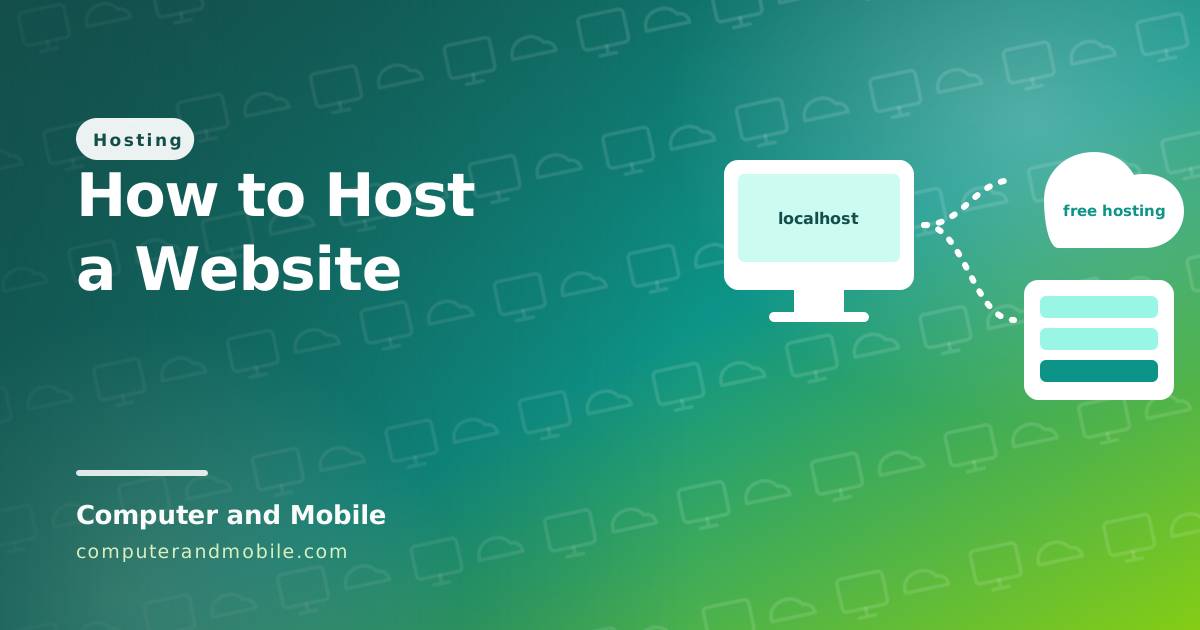
Hosting a website means putting its files on a computer that is always on and connected to the internet, so anyone can open them. That computer can be your own PC for testing, a free service for a simple site, or paid hosting for anything serious. The right choice depends on what your site is and who it is for.
This guide shows every way, with a small tested website to try them with, what each one costs, and where each fits.
The ways to host a website
| Where | Cost | Good for | Runs PHP and databases? |
|---|---|---|---|
| Your own computer, locally | Free | Building and testing | Yes (with XAMPP or Laragon) |
| Your own computer, shared to the internet | Free | Showing someone a test version | Yes |
| GitHub Pages, Cloudflare Pages | Free | HTML, CSS and JavaScript sites, portfolios, docs | No |
| Google Sites, Firebase Hosting | Free (Firebase has paid tiers above its limits) | Simple sites; Firebase for web apps | No PHP |
| Free PHP hosting | Free | Learning PHP and MySQL | Yes, with limits |
| Shared hosting | About $3 to $10 a month | Business sites, blogs, shops, PHP scripts | Yes |
| A VPS | About $4 to $20 a month | Several sites, apps, chat or VPN servers | Yes, anything |
Try it: a small website to host
Save this as index.html in a new folder. It is a complete one-screen website for a local business, and it works on phones:
<!DOCTYPE html>
<html lang="en">
<head>
<meta charset="UTF-8">
<meta name="viewport" content="width=device-width, initial-scale=1">
<title>Sam's Bike Repair | Fast bike repairs in Leeds</title>
<meta name="description" content="Bike repairs and servicing in Leeds, usually done the same day. Call or WhatsApp for a price.">
<style>
  body { margin: 0; font-family: system-ui, sans-serif; color: #1e293b; line-height: 1.6; }
  header { background: #0f766e; color: #fff; padding: 48px 20px; text-align: center; }
  main { max-width: 720px; margin: 0 auto; padding: 24px 20px; }
  .btn { display: inline-block; background: #f59e0b; color: #1e293b; padding: 12px 22px; border-radius: 10px; font-weight: 700; text-decoration: none; }
  ul { padding-left: 20px; }
  footer { text-align: center; color: #64748b; padding: 24px; font-size: 14px; }
</style>
</head>
<body>
<header>
  <h1>Sam's Bike Repair</h1>
  <p>Fast, friendly bike repairs in Leeds. Most jobs done the same day.</p>
  <a class="btn" href="tel:+440000000000">Call for a price</a>
</header>
<main>
  <h2>What we fix</h2>
  <ul>
    <li>Punctures and new tyres</li>
    <li>Brakes and gears set up properly</li>
    <li>Full service before summer</li>
  </ul>
  <h2>Where to find us</h2>
  <p>12 Example Street, Leeds. Open Monday to Saturday, 9 am to 6 pm.</p>
</main>
<footer>© Sam's Bike Repair</footer>
</body>
</html>
How to host a website locally on your computer
Double-clicking index.html opens it, but a real web server behaves the way hosting will. Python has one built in:
# In the folder with your index.html (Windows, macOS or Linux, with Python installed)
python -m http.server 8000

# Then open http://localhost:8000 in your browser. Stop it with Ctrl+C.
On Windows, install Python from python.org or the Microsoft Store first, then run the command in PowerShell. For PHP sites, use XAMPP or Laragon, which add Apache, PHP and MySQL in one installer. Visual Studio Code's Live Server extension also serves a folder and reloads the page when you save.
How to host a website on your computer for free (for others to see)
To let someone else open the site running on your computer, without touching your router, use a Cloudflare Quick Tunnel. It needs no account:
# Share the site on your computer with anyone, for testing (install cloudflared first)
cloudflared tunnel --url http://localhost:8000

# It prints an address like https://random-words.trycloudflare.com that works until you press Ctrl+C
Use it for testing and demos only. Cloudflare says quick tunnels are not for production, and a website on a home computer goes down whenever the computer sleeps, restarts or your internet drops. Home connections also have slow uploads, and many internet providers do not allow servers on home plans.
How to host a website on GitHub for free
- Create a free GitHub account and a new public repository.
- Click Add file, Upload files, and upload your
index.html(and any images or CSS). - Open Settings, Pages, choose the
mainbranch as the source, and save. - After a minute your site is live at
https://yourname.github.io/repository-name/. You can add your own domain on the same page.
Cloudflare Pages is similar: create a project, choose Upload assets, drag your folder in, and it gets a free pages.dev address with HTTPS. Neither runs PHP or a database.
How to host a website on Google: is Google site hosting free?
- Google Sites is free: you build the site in Google's editor with a Google account and can add your own domain. You cannot upload your own HTML files, so it suits simple pages, not custom code.
- Firebase Hosting (Google) hosts your own HTML, CSS and JavaScript with a free plan and paid usage above its limits, deployed with the Firebase command-line tool.
- Google Cloud has a small always-free virtual machine in some US regions, which is a VPS you manage yourself.
How do I host my website for free with PHP and a database?
Free PHP hosts such as InfinityFree still exist, with limits on traffic and no email sending. Our guide on hosting a PHP website for free walks through it with a tested guestbook. For a free server you control completely, see the Oracle Cloud free tier.
How can I host my own website for real?
For a site that has to be up every day, pay for hosting. It is cheaper than most people expect:
- Buy a domain (about $10 to $15 a year for a .com).
- Choose hosting: shared hosting for most sites (compare cheap hosting by the renewal price), or a VPS for apps (see shared vs VPS vs dedicated).
- Connect the domain to the hosting (see how to connect a domain).
- Upload your site with the file manager or FTP (see how to upload a website to cPanel), and turn on the free SSL certificate.
On a VPS, the simplest web server takes three commands:
# On an Ubuntu VPS: install a web server and put your site in its folder
sudo apt update && sudo apt install -y nginx
sudo cp index.html /var/www/html/index.html
# Now open http://YOUR-SERVER-IP in your browser
Then add a domain and HTTPS, and secure the server first (see how to secure an Ubuntu server).
How much does it cost to host a website?
| Item | Typical cost |
|---|---|
| Domain | $10 to $15 a year (.com) |
| Static site on GitHub Pages or Cloudflare Pages | $0 |
| Shared hosting | $3 to $10 a month after the first-term discount |
| VPS | $4 to $20 a month for most small projects |
| SSL certificate | $0 (Let's Encrypt, included by most hosts) |
| Email at your domain | $0 to a few dollars a month (see free email with your domain) |
So a real business website costs roughly $50 to $130 a year on shared hosting with a domain.
What people on Reddit usually recommend
- Static site? GitHub Pages or Cloudflare Pages, free and fast
- Do not host a real site on your home computer
- For WordPress or PHP, cheap shared hosting is enough; compare renewal prices
- Learn on a cheap VPS when you want to understand servers
Running a website people depend on
Hosting the files is only the start. A site for a business also needs daily backups stored elsewhere, HTTPS everywhere, monitoring that tells you when it is down, fast pages on phones, analytics, and someone who installs updates. Good shared hosting handles much of that for you; on a VPS it is your job.
A complete website to host
If you want more than a single page, our PHP scripts are complete websites that install on normal shared hosting in minutes:
- PHP blog script with admin panel: articles, categories, search, SEO, FAQs and AdSense places
- Digital products shop: sell downloads with PayPal and other payments
- Online web tools website: 61 tools with an admin panel
- HTML5 game portal: your own free-games website