How to Make a Game App and Earn Money (Free Android Code)
Make a small Android game with the whole code in MainActivity, then turn game apps into income: where ads fit in a game, what players accept, how game apps get installs, and what a full game app with many games adds.
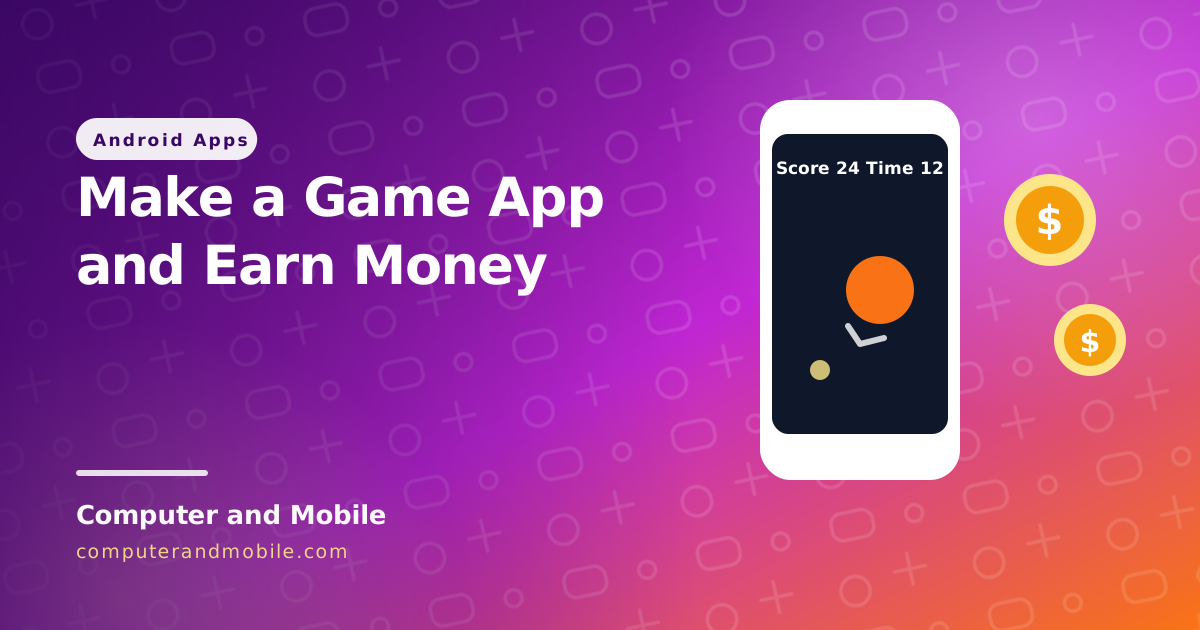
Many people want to make a game app because games get installed and played every day, and every round is a chance to earn from an ad. You do not need a game engine for your first one: a simple game in Android Studio teaches you the three things every game has, and it is enough to publish.
This guide builds a complete tap game with the whole code in MainActivity, then covers how game apps earn money, where ads fit without driving players away, how game apps get installs, and what a full game app adds.
The three parts of every game
| Part | In our game |
|---|---|
| The loop | The screen is redrawn many times a second; each time, the game decides what changed |
| Input | A tap on the circle scores a point |
| Rules | A 30-second round, a circle that jumps faster as you score, and a best score that is remembered |
The game: the whole code in MainActivity
- In Android Studio choose New Project → Empty Activity, language Kotlin.
- Replace everything in
MainActivity.ktwith the code below. No permissions and no libraries are needed. - Run it: tap to start, tap the orange circle as many times as you can in 30 seconds.
package com.example.tapgame   // keep the package line Android Studio made for you

import android.content.Context
import android.graphics.Canvas
import android.graphics.Color
import android.graphics.Paint
import android.os.Bundle
import android.os.SystemClock
import android.view.MotionEvent
import android.view.View
import androidx.activity.ComponentActivity
import kotlin.math.hypot
import kotlin.math.max
import kotlin.random.Random

class MainActivity : ComponentActivity() {
    override fun onCreate(savedInstanceState: Bundle?) {
        super.onCreate(savedInstanceState)
        setContentView(TapGameView(this))
    }
}

/** Tap the circle before it jumps away. A round lasts 30 seconds; the best score is kept. */
class TapGameView(context: Context) : View(context) {

    private val prefs = context.getSharedPreferences("game", Context.MODE_PRIVATE)
    private val circle = Paint(Paint.ANTI_ALIAS_FLAG).apply { color = Color.rgb(249, 115, 22) }
    private val text = Paint(Paint.ANTI_ALIAS_FLAG).apply {
        color = Color.WHITE
        textSize = 56f
        textAlign = Paint.Align.CENTER
    }
    private val radius = 90f
    private var x = 0f
    private var y = 0f
    private var score = 0
    private var lastScore = -1
    private var best = prefs.getInt("best", 0)
    private var endsAt = 0L     // 0 = waiting to start
    private var lastJump = 0L

    override fun onDraw(canvas: Canvas) {
        canvas.drawColor(Color.rgb(15, 23, 42))
        val now = SystemClock.uptimeMillis()

        if (endsAt == 0L) {   // start screen
            if (lastScore >= 0) canvas.drawText("Game over! Score $lastScore", width / 2f, height / 2f - 100, text)
            canvas.drawText("Tap to start", width / 2f, height / 2f, text)
            canvas.drawText("Best: $best", width / 2f, height / 2f + 90, text)
            return
        }

        val secondsLeft = (endsAt - now + 999) / 1000
        if (now >= endsAt) {
            gameOver()
            invalidate()
            return
        }
        // the circle jumps on its own, faster as the score grows
        if (now - lastJump > max(450L, 1000L - score * 15L)) jump(now)

        canvas.drawCircle(x, y, radius, circle)
        canvas.drawText("Score $score    Time $secondsLeft", width / 2f, 180f, text)
        postInvalidateOnAnimation()   // draw the next frame
    }

    override fun onTouchEvent(event: MotionEvent): Boolean {
        if (event.action != MotionEvent.ACTION_DOWN) return true
        val now = SystemClock.uptimeMillis()
        if (endsAt == 0L) {
            score = 0
            endsAt = now + 30_000
            jump(now)
        } else if (hypot(event.x - x, event.y - y) <= radius) {
            score++
            jump(now)
        }
        invalidate()
        return true
    }

    private fun jump(now: Long) {
        x = radius + Random.nextFloat() * (width - 2 * radius)
        y = 260 + radius + Random.nextFloat() * (height - 360 - 2 * radius)
        lastJump = now
    }

    private fun gameOver() {
        lastScore = score
        if (score > best) {
            best = score
            prefs.edit().putInt("best", best).apply()
        }
        endsAt = 0L
    }
}| Part | What it does |
|---|---|
TapGameView | A custom View the game draws on |
onDraw and postInvalidateOnAnimation() | The game loop: draw a frame, then ask Android for the next one |
onTouchEvent | Starts the round, and scores when the tap is inside the circle (hypot measures the distance) |
max(450L, 1000L - score * 15L) | The circle jumps on its own, faster as the score grows, so the game gets harder |
SharedPreferences | Keeps the best score after the app is closed |
Change the colours, the size of the circle, the round length and the speed, and you already have your own game. Add sounds, levels and a second shape to tap or avoid, and it starts to feel like a real one.
How game apps earn money
- Interstitial ads between rounds, for example after every second or third game over. Never during play.
- Rewarded ads that the player chooses to watch for an extra life, a double score or a hint. Players like these because they get something.
- Banners on menus, not on the game screen, where they get in the way of taps.
- In-app purchases to remove ads or unlock levels, once the game has steady players.
Earnings depend mostly on how many people play each day and where they are. For a real example from one of our apps with users in Pakistan, India and Bangladesh, see our AdMob earnings numbers, and for the code to show ads safely see how to add AdMob ads.
One game, or a game hub?
| One simple game | A hub of many games | |
|---|---|---|
| Build time | Days | Weeks |
| Why people keep it | It is fun for a while | There is always another game to try |
| Ad moments | Between rounds | Between rounds and between games |
| Growing it | A new version for new levels | Add games from a server without an app update |
Getting installs
- A clear store listing: the game's name with what it is (“Tap Rush: Reflex Game”), screenshots of real gameplay, and a short video.
- The first minute matters: no sign-up, no ad on launch, and the player is playing within seconds.
- Updates: new levels or games every few weeks give players a reason to come back and Google a reason to show the app.
- Reviews: ask for a rating after a good moment (a new best score), not after a loss.
Before you publish, read how to publish on Google Play; new personal accounts need a closed test with 12 testers first.
Common problems
| Problem | Cause and fix |
|---|---|
| The game stutters | Heavy work inside onDraw. Create paints and objects once, outside the drawing code. |
| Taps are missed | The game only reacts to ACTION_DOWN, which is right for a tap game; check that the tap area (the radius) is big enough for fingers. |
| Text hides under the status bar | Draw the score lower on the screen, or pad the game for the system bars. |
| Players uninstall after a day | Too many ads or nothing new. Show fewer interstitials, add rewarded ads and new content. |
The full version: a game hub app with an admin panel
Our mini games app source code is a Kotlin and Jetpack Compose game hub with a PHP backend and a web admin panel:
- Built-in offline games: Snake, Tic Tac Toe, Memory Match, Match-3, Galaxy Shooter and Crowd Runner
- HTML5 games from your own server, with sample games included, and more added from the panel without an app update
- A featured game, categories, scores and achievements
- AdMob interstitials and banners with Google's GDPR message
The same games can also run on a website: our HTML5 game portal script works as the app's backend, and how to make a game website explains that side.
Where to go next
- Reskin an Android app with your own name, icon and colours
- Publish on Google Play
- How to make an app and earn money