Wallpaper App Source Code: How to Make a Wallpaper App in Android Studio
Make a wallpaper app in Android Studio with the whole code in MainActivity: a list of wallpapers that sets any of them on the home screen, the lock screen or both. Then where the images can come from, what a full 4K and live wallpaper app adds, and the Google Play rules.
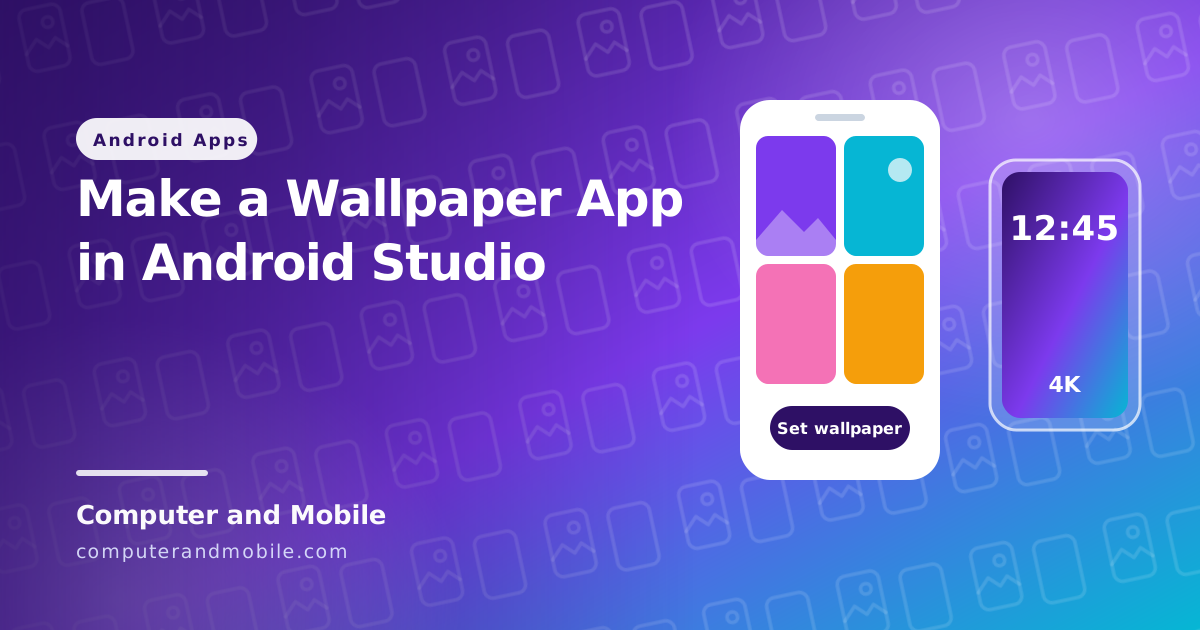
Wallpaper apps are one of the simplest kinds of app to build and one of the most installed: people change their wallpaper often, and a good collection keeps them coming back. Under the hood a wallpaper app does three things: it gets a list of images, shows them, and asks Android to set the chosen one on the home screen, the lock screen or both.
This guide gives you a working wallpaper app with the whole code in MainActivity, then explains where your images can legally come from, what a full 4K and live wallpaper app adds, and the Google Play rules wallpaper apps must follow.
How a wallpaper app works
| Part | What it does |
|---|---|
| The images | Stored on your server (or in the app) as links, usually in a small and a full size |
| The list | Shows small copies so it scrolls fast |
WallpaperManager | Android's own class that sets the wallpaper. It needs only the normal SET_WALLPAPER permission, which users are not asked about. |
| Home, lock or both | Chosen with FLAG_SYSTEM and FLAG_LOCK (Android 7.0 and newer) |
The app: the whole code in MainActivity
- In Android Studio choose New Project → Empty Activity, language Kotlin.
- Add the two permissions to
AndroidManifest.xml. - Replace everything in
MainActivity.ktwith the code below. - Run it, tap a wallpaper and choose Home screen, Lock screen or Both.
<!-- app/src/main/AndroidManifest.xml, above <application> -->
<uses-permission android:name="android.permission.INTERNET" />
<uses-permission android:name="android.permission.SET_WALLPAPER" />
package com.example.wallpapers // keep the package line Android Studio made for you
import android.app.AlertDialog
import android.app.WallpaperManager
import android.graphics.Bitmap
import android.graphics.BitmapFactory
import android.os.Bundle
import android.widget.ImageView
import android.widget.LinearLayout
import android.widget.ScrollView
import android.widget.Toast
import androidx.activity.ComponentActivity
import androidx.core.view.ViewCompat
import androidx.core.view.WindowInsetsCompat
import java.net.URL
import kotlin.concurrent.thread
class MainActivity : ComponentActivity() {
// Your wallpapers: any direct image links. These are free test photos from picsum.photos.
private val wallpapers = listOf(
"https://picsum.photos/id/1015/1080/1920",
"https://picsum.photos/id/1016/1080/1920",
"https://picsum.photos/id/1018/1080/1920",
"https://picsum.photos/id/1036/1080/1920",
"https://picsum.photos/id/1039/1080/1920",
"https://picsum.photos/id/1043/1080/1920",
)
override fun onCreate(savedInstanceState: Bundle?) {
super.onCreate(savedInstanceState)
val list = LinearLayout(this).apply { orientation = LinearLayout.VERTICAL }
val screen = ScrollView(this).apply { addView(list) }
setContentView(screen)
// Keep the list clear of the status bar and the navigation bar (Android 15 and newer)
ViewCompat.setOnApplyWindowInsetsListener(screen) { view, insets ->
val bars = insets.getInsets(WindowInsetsCompat.Type.systemBars())
view.setPadding(24, bars.top + 24, 24, bars.bottom + 24)
insets
}
for (url in wallpapers) {
val image = ImageView(this).apply {
adjustViewBounds = true
setPadding(0, 12, 0, 12)
setOnClickListener { chooseScreen(url) }
}
list.addView(image)
thread { // a small copy is enough for the list
val small = download(url, sampleSize = 4)
runOnUiThread { image.setImageBitmap(small) }
}
}
}
private fun download(url: String, sampleSize: Int): Bitmap? = try {
URL(url).openStream().use {
BitmapFactory.decodeStream(it, null, BitmapFactory.Options().apply { inSampleSize = sampleSize })
}
} catch (e: Exception) {
null
}
private fun chooseScreen(url: String) {
AlertDialog.Builder(this)
.setTitle("Set wallpaper on")
.setItems(arrayOf("Home screen", "Lock screen", "Both")) { _, which ->
val where = when (which) {
0 -> WallpaperManager.FLAG_SYSTEM
1 -> WallpaperManager.FLAG_LOCK
else -> WallpaperManager.FLAG_SYSTEM or WallpaperManager.FLAG_LOCK
}
applyWallpaper(url, where)
}
.show()
}
private fun applyWallpaper(url: String, where: Int) {
Toast.makeText(this, "Setting wallpaper ...", Toast.LENGTH_SHORT).show()
thread { // the full-size picture is downloaded only when it is set
val full = download(url, sampleSize = 1)
val done = full != null && runCatching {
WallpaperManager.getInstance(this).setBitmap(full, null, true, where)
}.isSuccess
runOnUiThread {
Toast.makeText(this, if (done) "Wallpaper set" else "Could not set the wallpaper", Toast.LENGTH_SHORT).show()
}
}
}
}| Part | What it does |
|---|---|
The wallpapers list | Direct links to your images. The test links are free photos from picsum.photos; replace them with your own. |
download(url, sampleSize = 4) | Loads a quarter-size copy for the list on a background thread, so scrolling stays smooth and memory stays low |
AlertDialog with three choices | Lets the user pick the home screen, the lock screen or both |
WallpaperManager.setBitmap(..., where) | Sets the full-size picture on the chosen screen |
runCatching and the toasts | Tell the user whether it worked, instead of failing silently |
Where the images can come from
The images are the product, so they are also where most wallpaper apps get into trouble. Use:
- Your own photos and designs, or images made for you
- Images you have a licence for, read in full. Some free photo sites allow almost any use but not collecting their photos into a similar service, which a wallpaper app can be.
- Generated wallpapers: gradients, patterns and abstract art made by the app itself
Avoid wallpapers of brands, logos, film and game characters and celebrities, and never copy another wallpaper app's collection. Those are the usual reasons for intellectual property complaints and removal from Google Play.
What a full wallpaper app adds
- An admin panel on your website to upload wallpapers, sort them into categories, and add new ones without updating the app
- Several sizes per image (small for the list, HD and 4K for setting), in WebP so they load fast
- An image library such as Coil or Glide for caching, so images are not downloaded again
- Live wallpapers: a
WallpaperServicethat plays a short video as the wallpaper - An auto changer with WorkManager, favourites, and a simple editor for text and stickers
- Ads: interstitials between screens, and a rewarded ad to unlock 4K versions
Google Play rules for wallpaper apps
- Only images you have the right to use (see above). Intellectual property is the most common problem.
- No misleading claims: say “4K” only if the files really are 4K.
- Not a copy of an existing app: Google Play rejects apps that repeat another app's content and design.
- Ads that follow the rules: no ad every time a wallpaper is set, and no ad covering the wallpaper preview.
Common problems
| Problem | Cause and fix |
|---|---|
| Images do not load | The links are http:// (Android blocks plain HTTP by default) or not direct image links. Use https:// links that open the image itself. |
| The app crashes with many wallpapers | Full-size images use too much memory. Load small copies for the list (as above) or use an image library. |
| The wallpaper looks zoomed or cut off | The image does not match the phone's shape. Use tall images (for example 1080 × 1920 or larger). |
| The lock screen does not change on some phones | A few phone makers use their own lock screen apps. Set “Both”, or tell users to set it from their gallery once. |
| “Could not set the wallpaper” | The download failed. Check the internet connection and the link. |
The full version: a 4K and live wallpaper app with an admin panel
Our 4K and live wallpaper app source code is a Kotlin and Jetpack Compose app with a PHP and MySQL admin panel that you run on your own hosting:
- 4K and HD wallpapers in categories, live (video) wallpapers and AMOLED black wallpapers
- One tap to set on the home screen, the lock screen or both
- An auto wallpaper changer, favourites, and a text and sticker editor
- AdMob interstitial, rewarded and native ads with Google's GDPR message
- An admin panel to upload images (converted to WebP in 3 sizes automatically), add live wallpapers and categories, and import from Google Drive or links
Where to go next
- Reskin an Android app with your own name, icon and colours
- Publish your app on Google Play, including the 12 testers rule
- Real AdMob earnings from one of our apps