Best Cheap Web Hosting: What Actually Matters
How to judge cheap hosting yourself instead of trusting a ranked list. The renewal-price trap, the specs that matter, and what each type of site really needs.

Every "best cheap hosting" list ranks the companies paying the highest commission. The rankings change when the commissions change, not when the hosting does.
So this page does something different: it teaches you to judge a host yourself. That knowledge stays useful after any particular company gets worse — and they do.
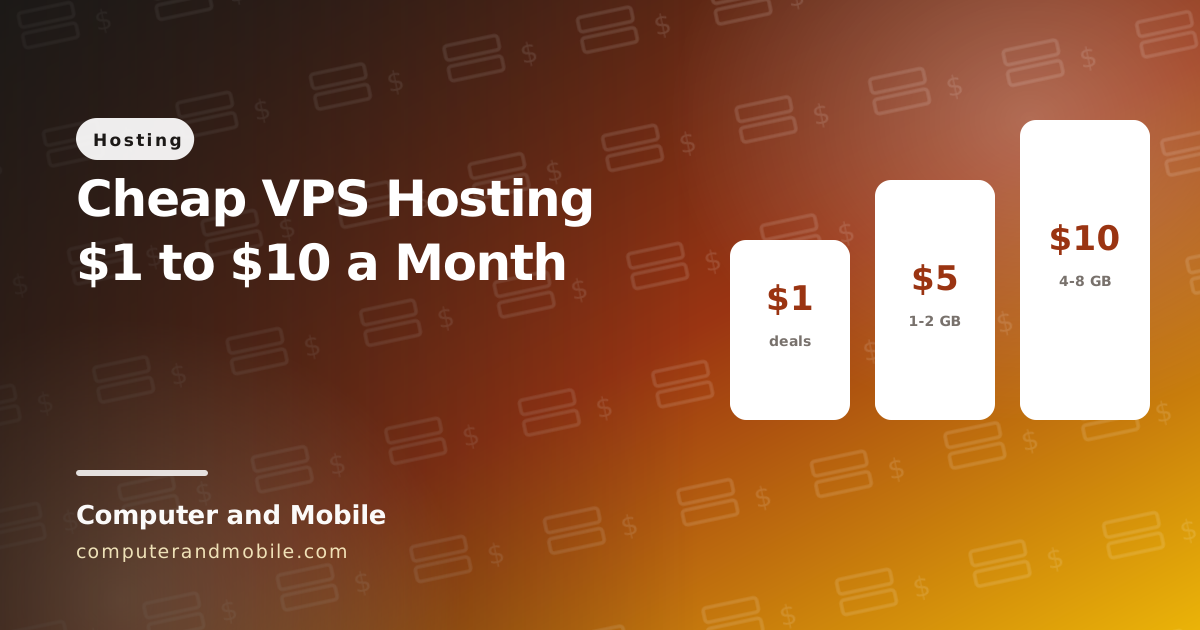
Cheap hosts at a glance: intro price and renewal price
Here are well-known cheap hosts with the number most lists leave out: what you pay after the first term. There are no affiliate links on this page, and no host paid to be listed.
| Host (cheapest shared plan) | Intro price | Renews at | Good to know |
|---|---|---|---|
| InterServer | $2.50 / month | $2.50 / month | Price lock: the same price every year, on any billing term |
| Namecheap (Stellar) | about $1.58 / month, first year | about $4.48 / month | The cheapest start, and a low renewal for its class |
| Hostinger (Premium) | $2.99 / month, 48-month term | $7.99 / month | LiteSpeed servers and NVMe storage; data centres in Asia |
| DreamHost (Shared Starter) | about $2.95 / month | $7.99 / month | Servers in the US |
| Bluehost (Basic) | $2.95 / month, 36-month term | about $9 to $12 / month | The renewal depends on the term you choose |
| GreenGeeks (Lite) | $2.95 / month, 36-month term | about $13 / month | LiteSpeed Enterprise and NVMe storage |
| SiteGround (StartUp) | $2.99 / month, first year | $17.99 / month | Strong support; one of the biggest renewal jumps |
Prices as listed by the hosts and price trackers in October 2026. They change often and depend on the term you pick, so check the renewal price on the host's own checkout page before you pay. The calculator below turns any of these into a real cost.
The renewal price trap
Start here, because it is where most money is lost.
Cheap hosting advertises an introductory rate. The renewal is typically three to four times higher.
| Advertised | On renewal | |
|---|---|---|
| Typical shared plan | $2.99 / month | $9.99 / month |
| Paid 3 years up front | $107 total | — |
| Year 4 | — | $120 that year alone |
Always check the renewal price before buying. It is in the terms, deliberately not on the pricing page. A host at $5 flat forever is cheaper than one at $2.99 renewing at $12.
Two related traps:
- Long prepayment. Three years up front is the only way to get the headline price, and you cannot leave if the service degrades.
- Migration fees. Some hosts charge to move a site away. Check before you are locked in.
Work out the real cost
Compare hosts by what they cost over the years you will keep the site, not by the headline price. Save this as index.html, open it in your browser, and enter the intro price, how long it lasts, and the renewal price:
<!DOCTYPE html>
<html lang="en">
<head>
<meta charset="UTF-8">
<meta name="viewport" content="width=device-width, initial-scale=1">
<title>Hosting Real Cost Calculator</title>
<style>
  body { font-family: system-ui, sans-serif; max-width: 520px; margin: 30px auto; padding: 0 16px; }
  label { display: block; margin-top: 12px; font-weight: 700; }
  input { width: 100%; box-sizing: border-box; padding: 10px; font: inherit; }
  button { margin-top: 16px; padding: 11px 22px; font: inherit; font-weight: 700; }
  #out { margin-top: 16px; font-size: 18px; font-weight: 700; }
</style>
</head>
<body>
<h1>What will this hosting really cost?</h1>
<label>Intro price per month ($) <input id="intro" type="number" step="0.01" value="2.99"></label>
<label>Months at the intro price <input id="months" type="number" value="12"></label>
<label>Renewal price per month ($) <input id="renew" type="number" step="0.01" value="17.99"></label>
<label>Years you plan to keep the site <input id="years" type="number" value="3"></label>
<button id="go">Calculate</button>
<div id="out"></div>

<script>
document.getElementById('go').onclick = () => {
  const n = id => Number(document.getElementById(id).value) || 0;
  const months = n('years') * 12;
  if (months <= 0) { document.getElementById('out').textContent = 'Enter at least 1 year'; return; }
  const introMonths = Math.min(n('months'), months);           // the intro price only lasts this long
  const cost = introMonths * n('intro') + (months - introMonths) * n('renew');
  document.getElementById('out').textContent =
    `$${cost.toFixed(2)} over ${n('years')} years, about $${(cost / months).toFixed(2)} a month`;
};
</script>
</body>
</html>
Over three years the difference is large. With the prices above: InterServer comes to about $90, Namecheap about $126, and SiteGround about $468, five times more for the same three years.
What actually matters
Ignore "unlimited" anything. These six decide whether the hosting is good.
1. PHP version
PHP 8.1 or newer, and you should be able to change it yourself from the control panel. PHP 8 is roughly twice as fast as 7.4 for WordPress. A host stuck on old PHP is neglecting its servers.
2. Memory and execution limits
Look for memory_limit of at least 256M and max_execution_time of 120 seconds or more. The cheapest plans cap these so low that WooCommerce or a backup plugin will simply fail.
3. Free SSL, automatically renewed
Standard for years. If a host charges for basic SSL, walk away — it tells you what else they will charge for.
4. Real backups
Daily, kept at least a week, and restorable by you without a support ticket. Some hosts advertise backups and then charge to restore one, which is the moment you cannot argue.
5. Server location
Physical distance is latency nothing can remove. Pick a data centre near most of your visitors. A CDN helps with images, but the initial server response still travels the full distance.
6. The control panel
cPanel, Plesk, DirectAdmin or a good custom panel. You need file management, database access, one-click installs, email accounts and SSL controls without asking support.
What does not matter
- "Unlimited" storage and bandwidth. The fair-use clause in the terms is the real limit. Nobody gets unlimited anything.
- "99.9% uptime guarantee." That allows nearly nine hours of downtime a year, and the compensation is usually credit, not money.
- Free domain for the first year. Worth about $12 once, and often locked to that host.
- Marketing credits you will never use.
- Award badges on the host's own website.
Which type of hosting do you need?
| Type | Cost / month | Right for |
|---|---|---|
| Shared | $3–10 | Blogs, small business sites, portfolios |
| Managed WordPress | $15–30 | WordPress where you do not want to maintain anything |
| VPS | $5–20 | Several sites, apps, full control |
| Cloud / dedicated | $50+ | High traffic |
Shared hosting
Many sites on one server. Cheap, and completely fine for most projects. The catch is that a busy neighbour slows you down, and the limits are real — see the memory point above.
VPS
A guaranteed slice of a server. Often cheaper than shared hosting at the same performance, and much faster. The trade is that you administer it yourself: security updates, backups, fixing it at 2am.
Worth it if you want to learn. See how to install a LAMP server on Ubuntu and how to install WordPress on Ubuntu.
Managed WordPress
Shared hosting tuned for WordPress, with updates, caching and backups handled. Costs more; saves real time. Reasonable if the site earns money and you do not want to think about servers.
What each kind of site actually needs
| Site | Plan | Note |
|---|---|---|
| Personal blog | Cheapest shared | Genuinely enough |
| Business site, few pages | Shared, 2 GB RAM | Prioritise backups |
| WooCommerce shop | Shared 4 GB, or VPS | WooCommerce is heavy |
| Several client sites | VPS | Cheaper than several shared plans |
| NextCloud or a chat server | VPS, 2 GB+ | Shared hosting cannot run these |
| Video hosting | VPS, high bandwidth | Check the bandwidth cap first |
Cheap hosting for Pakistan and India
- Pick a data centre near your visitors. For visitors in Pakistan and India, a server in Asia (for example Singapore or India) loads noticeably faster than one in the US.
- Payment: most international hosts take a Visa or Mastercard card with online international payments turned on in your bank's app; some also take PayPal. Local resellers bill in rupees: compare their renewal price and support the same way.
- Support hours: check that support answers during your daytime, by chat or ticket.
- “Free domain” is usually for the first year only; its renewal is a separate charge.
How to test a host before committing
Ten minutes of checking beats any review.
- Find the renewal price. Read the terms, not the pricing page.
- Test support before buying. Open a pre-sales chat and ask something technical, like which PHP versions they offer and whether you can change it yourself. A vague answer now means a vague answer when your site is down.
- Check the refund window. Thirty days is standard. Anything under fourteen is a warning.
- Search "hostname + down" or "+ outage" and sort by recent. Look at the last six months, not five-year-old reviews.
- Test their own site speed. A host whose own website is slow is not going to make yours fast.
- Confirm you can leave. Can you download a full backup yourself? If not, you are trapped.
Warning signs
- No renewal price anywhere on the site.
- Only annual or three-year billing available.
- Charging for SSL.
- No PHP version control.
- Support only by ticket, with no chat or phone.
- A brand new company with a very low price. Cheap hosting companies fail, and your site goes with them.
Cheap hosting that costs more
Two hidden costs worth naming.
Your time. A host that goes down monthly, where support takes three days, costs you hours. At any professional rate, the $6 you saved is gone in the first incident.
Lost traffic. A slow server hurts Core Web Vitals and therefore rankings — see how to increase your website ranking. If the site earns anything, spending $10 instead of $3 is not really a cost.
Common questions people get wrong
Is more storage better?
Not usually. A typical site uses under 5 GB. Storage is the cheapest thing a host sells, which is exactly why it is advertised. Memory and CPU are what actually constrain you.
Should I buy the domain from the host?
Better not to. Keeping the domain at a separate registrar means you can move hosting freely, and you are never negotiating with a host who also controls your domain.
Do I need a Windows server?
Only for ASP.NET or MS SQL. WordPress, Laravel and almost everything else runs better and cheaper on Linux.
What our own sites run on
This blog and our shop run on a LiteSpeed server, and two lessons from it are worth knowing before you choose:
- LiteSpeed is fast for PHP sites, which is why hosts that use it feel quicker on the same plan.
- OpenLiteSpeed reads only the rewrite rules in
.htaccess, not the header or access rules, and it may need a restart before a changed.htaccesstakes effect. Security headers then have to come from PHP or the panel.
Our PHP scripts are built for exactly this kind of cheap shared hosting: the blog CMS, the digital products shop and the online tools website all run on a normal cPanel plan with PHP 8.1 and MySQL.