How to Make a Dating App: Free Android Code and What a Real App Needs
Build the core of a dating app with the whole code in MainActivity: profile cards, like and skip, and a match. Then what a real dating app needs (accounts, photos, chat, video calls, safety), the Google Play rules for dating apps, and a ready video dating app.
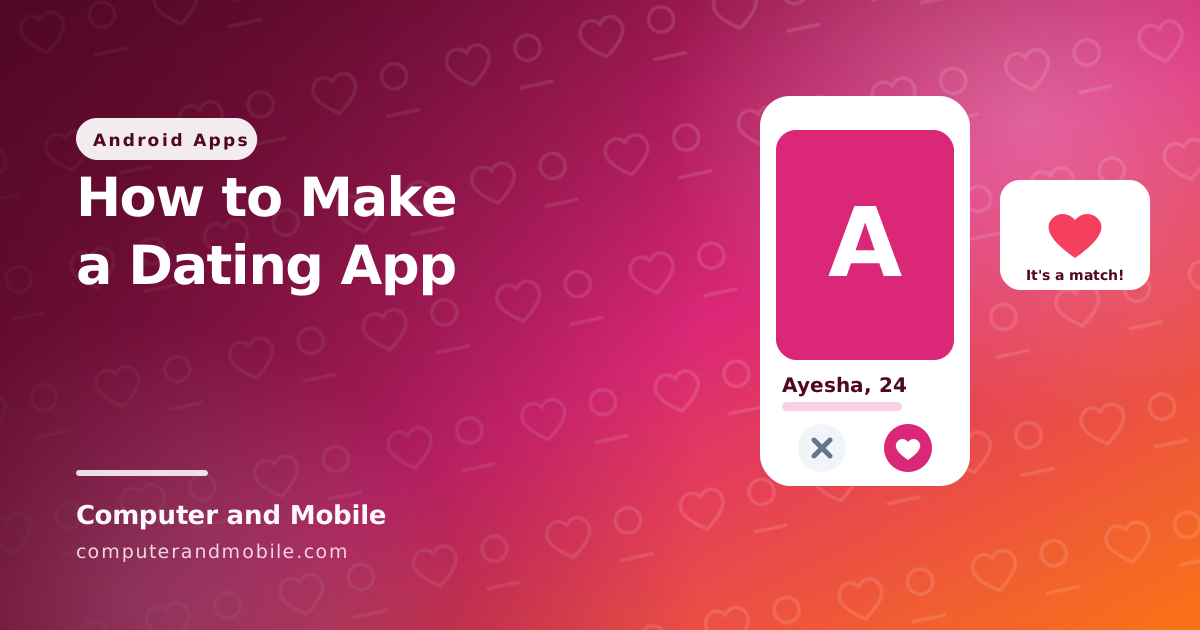
A dating app looks complicated, but its heart is simple: show a person, let the user like or skip, and when two people like each other, it is a match. Everything else (accounts, photos, chat, calls, safety) is built around that loop.
This guide builds that core with the whole code in MainActivity, then explains what a real dating app needs around it, the Google Play rules that dating apps are checked against, and a ready video dating app you can start from.
The core: the whole code in MainActivity
- In Android Studio choose New Project → Empty Activity, language Kotlin.
- Replace everything in
MainActivity.ktwith the code below. No permissions are needed for this first version. - Run it, then like or skip each profile. Two of the sample profiles like you back, and those become matches.
package com.example.dating   // keep the package line Android Studio made for you

import android.app.AlertDialog
import android.graphics.Color
import android.graphics.drawable.GradientDrawable
import android.os.Bundle
import android.view.Gravity
import android.widget.Button
import android.widget.LinearLayout
import android.widget.TextView
import androidx.activity.ComponentActivity
import androidx.core.view.ViewCompat
import androidx.core.view.WindowInsetsCompat

data class Profile(val name: String, val age: Int, val city: String, val bio: String, val likesYou: Boolean)

class MainActivity : ComponentActivity() {

    // Sample profiles. A real app loads them from your server.
    private val profiles = listOf(
        Profile("Ayesha", 24, "Lahore", "Coffee, books and long drives.", likesYou = true),
        Profile("Sara", 26, "Karachi", "Designer. Loves the sea and street food.", likesYou = false),
        Profile("Hina", 23, "Islamabad", "Hiking on weekends, coding on weekdays.", likesYou = true),
        Profile("Zara", 27, "Dubai", "Travel, photography and good music.", likesYou = false),
    )
    private var current = 0
    private val matches = mutableListOf<String>()

    private lateinit var photo: TextView
    private lateinit var title: TextView
    private lateinit var bio: TextView

    override fun onCreate(savedInstanceState: Bundle?) {
        super.onCreate(savedInstanceState)

        photo = TextView(this).apply {
            textSize = 72f
            gravity = Gravity.CENTER
            setTextColor(Color.WHITE)
            background = GradientDrawable().apply { cornerRadius = 48f; setColor(Color.rgb(236, 72, 153)) }
            height = 700
        }
        title = TextView(this).apply { textSize = 26f; setPadding(0, 32, 0, 8) }
        bio = TextView(this).apply { textSize = 17f }
        val skip = Button(this).apply { text = "Skip" }
        val like = Button(this).apply { text = "Like" }
        val buttons = LinearLayout(this).apply {
            gravity = Gravity.CENTER
            addView(skip)
            addView(like)
        }
        val screen = LinearLayout(this).apply {
            orientation = LinearLayout.VERTICAL
            addView(photo)
            addView(title)
            addView(bio)
            addView(buttons)
        }
        setContentView(screen)

        // Keep the card clear of the status bar and the navigation bar (Android 15 and newer)
        ViewCompat.setOnApplyWindowInsetsListener(screen) { view, insets ->
            val bars = insets.getInsets(WindowInsetsCompat.Type.systemBars())
            view.setPadding(40, bars.top + 40, 40, bars.bottom + 40)
            insets
        }

        skip.setOnClickListener { next() }
        like.setOnClickListener {
            val profile = profiles.getOrNull(current) ?: return@setOnClickListener
            if (profile.likesYou) {   // both liked each other
                matches += profile.name
                AlertDialog.Builder(this)
                    .setTitle("It's a match!")
                    .setMessage("You and ${profile.name} like each other. Say hello!")
                    .setPositiveButton("OK", null)
                    .show()
            }
            next()
        }
        show()
    }

    private fun next() {
        current++
        show()
    }

    private fun show() {
        val profile = profiles.getOrNull(current)
        if (profile == null) {
            photo.text = "\u2764"
            title.text = "No more profiles"
            bio.text = if (matches.isEmpty()) "No matches yet." else "Your matches: " + matches.joinToString()
            return
        }
        photo.text = profile.name.first().toString()
        title.text = "${profile.name}, ${profile.age} \u00b7 ${profile.city}"
        bio.text = profile.bio
    }
}| Part | What it does |
|---|---|
data class Profile | One person: name, age, city, a short bio, and (only in this demo) whether they like you |
| The card | A coloured box with the first letter, then the name, age and city, and the bio. A real app shows photos here. |
like and skip | Move to the next profile; a like on someone who likes you back opens “It's a match!” |
matches | The list of matches, shown when there are no more profiles |
In a real app the likesYou field is never on the phone: likes are saved on your server, and the server decides when two likes make a match. That way nobody can see who liked them before they like back.
What a real dating app needs
| Feature | How it is usually built |
|---|---|
| Accounts and an 18+ check | Sign-up on your server, with the birth date checked and the account deletable |
| Profiles with photos | Uploads resized on the server, and checked before others see them |
| Discovery | Your server picks whom to show, for example people who are online or nearby |
| Likes and matches | Stored on the server; a match is two likes in both directions |
| Chat | A chat server such as ejabberd (XMPP), with online status and typing indicators |
| Video calls | WebRTC with a TURN server, so calls connect on mobile data too |
| Notifications | New matches, messages and incoming calls |
| Safety | Block, report, a profanity filter and someone who reviews reports |
The chat and call parts are covered in how to create a chat app, how video calling apps work and installing ejabberd and a TURN server.
Google Play rules for dating apps
- User-generated content: because users post profiles, photos and messages, the app needs terms users accept, a way to report people and content, a way to block, and moderation that acts on reports.
- No sexual content in the app, the store listing, the icon or the screenshots.
- Adults only: set the target audience to 18+ and check the age at sign-up.
- Account deletion: apps that let users create an account must let them delete it inside the app, and through a web page whose link you give in the Data safety form.
- Honest profiles: no fake profiles that pretend to be real people to keep users chatting.
Common problems
| Problem | Cause and fix |
|---|---|
| Rejected for user-generated content | No report or block option, or no terms. Add both to profiles and chats, and a terms screen at sign-up. |
| Rejected for account deletion | No delete option in the app, or no web link for it in the Data safety form. Add both. |
| Users leave because nobody is online | New dating apps feel empty. Start in one city or community, and show who is online first. |
| Video calls fail on mobile data | No TURN server. Add coturn. |
The full version: a ready video dating app
Our video dating app source code is a Kotlin and Jetpack Compose app that runs on your own ejabberd (XMPP) and coturn (TURN) servers, so you pay no per-minute call fees:
- Sign-up and log-in on your own server, and a list of people who are online
- One-to-one chat with a typing indicator and unread counts
- Voice and video calls (WebRTC) with an incoming-call screen and notification, and call history with missed calls
- Block and report (reports go to a moderator account) and a profanity filter
- Profile with photo, edit profile, an 18+ age check and delete account
- Light and dark design, and AdMob ads with Google's GDPR message
It comes with a ready ejabberd and TURN server folder and a step-by-step server guide.